
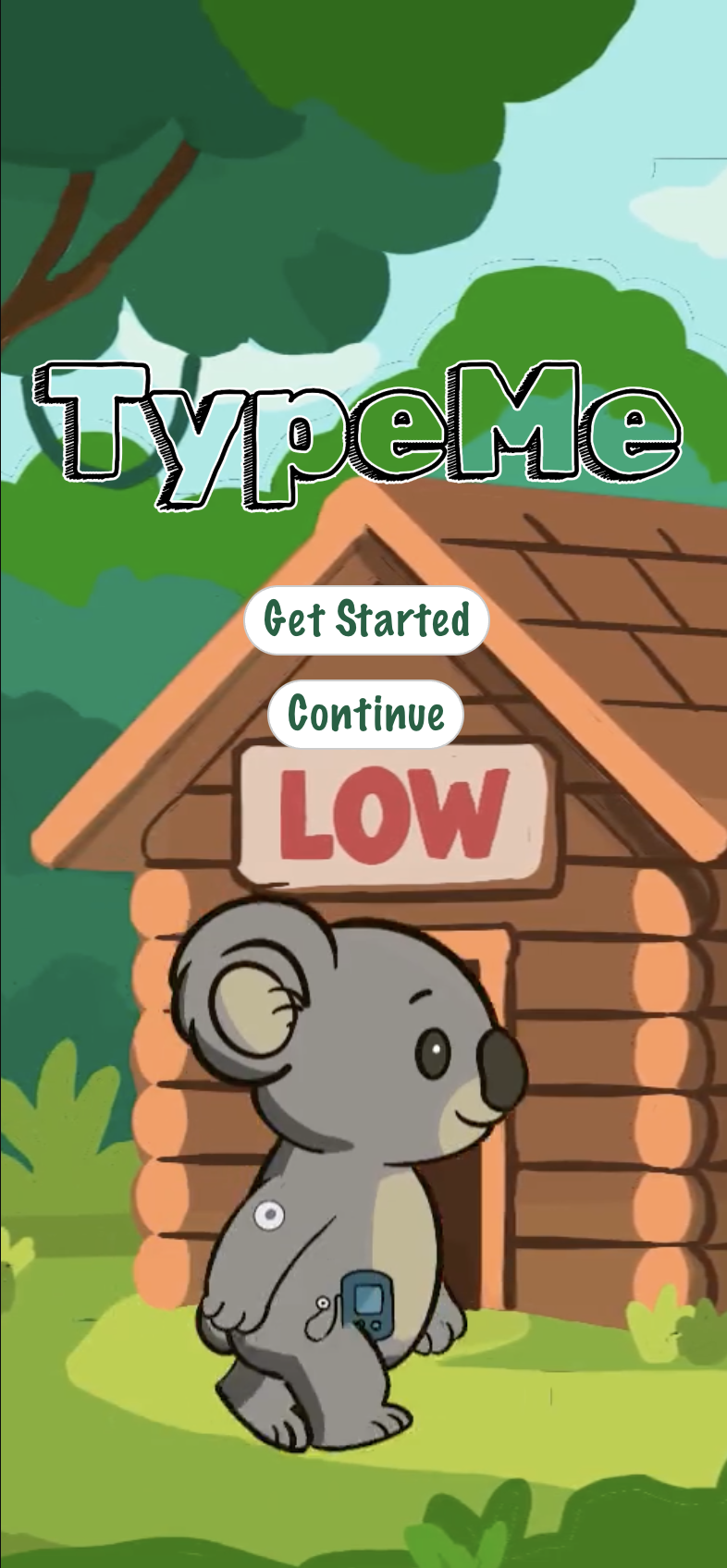
TypeMe
Kids with T1D don't always have a parent nearby when something feels off. TypeMe is an AI assistant that meets them where they are; At school, sleepovers, or sports using a custom avatar, face tracking, and voice AI to make health information simple, safe, and actually fun.
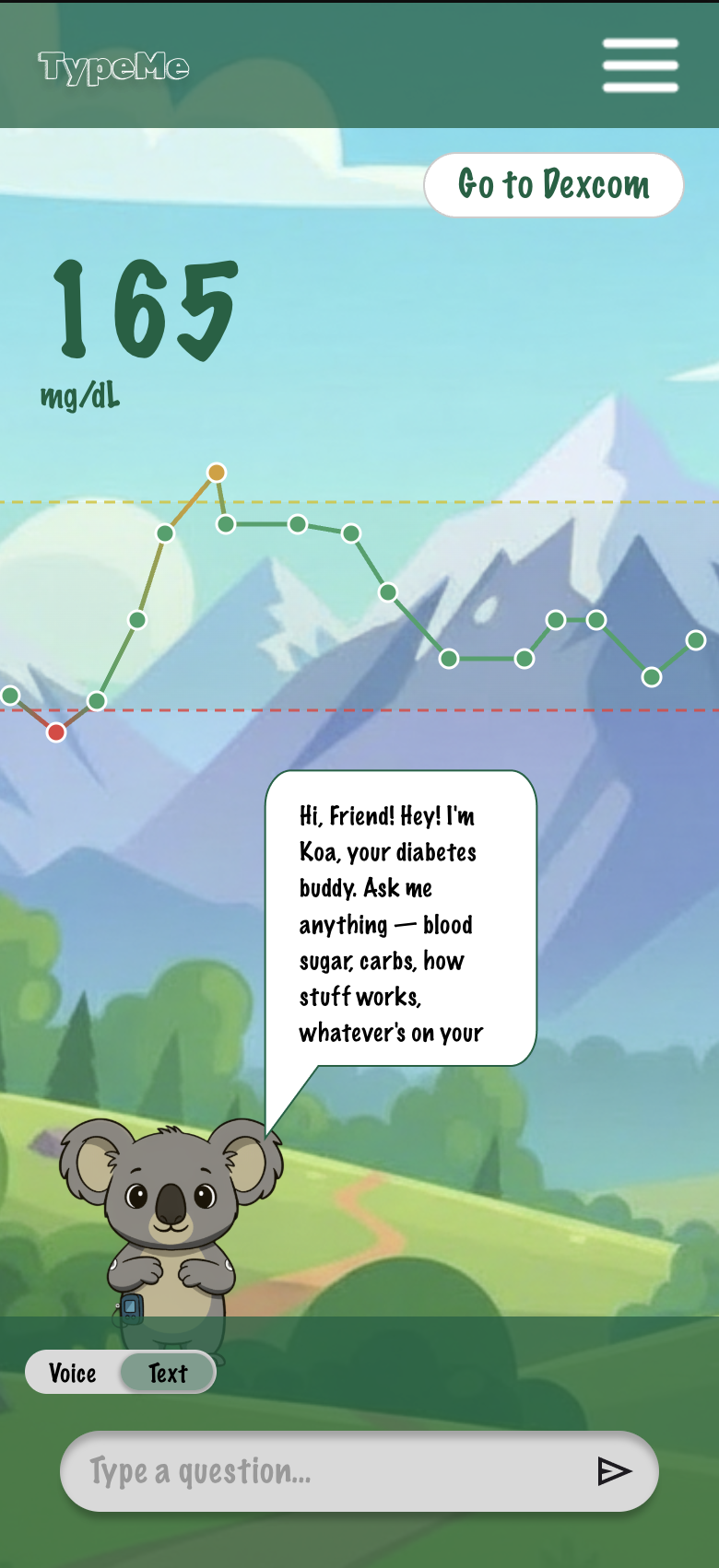
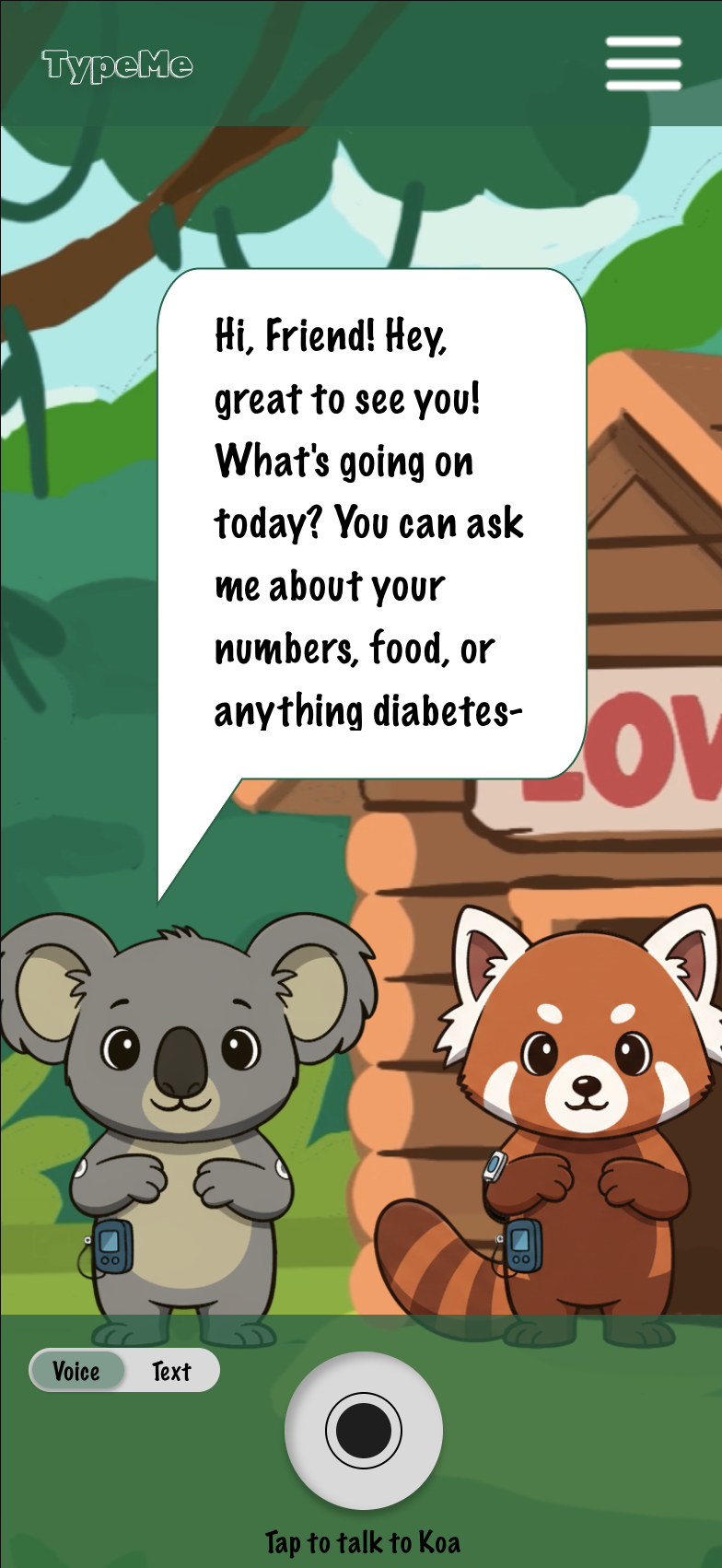
Prototype Walkthrough
Toolkit

Figma

Google Cloud Platform

Photoshop

VS Code and Anthropic (Claude)

After Effects
The Story Behind the App


On October 7, 2007, I was diagnosed with Type One Diabetes at just three years old. At that time, managing diabetes looked very different from what it does today. Continuous glucose monitors didn’t exist in the way they do now, which meant constant finger pricks, endless needles, and a routine that quickly became overwhelming for a child.
My parents carried a huge part of that burden. They woke up every hour through the night to check my blood sugar, making sure I was safe while the world slept. As I grew older, I began to understand the weight of it all, not just physically, but emotionally. School was difficult, not only because of the condition itself, but because so few people around me understood what diabetes actually was. Even simple things like sleepovers became complicated. I didn’t want to wake my parents in the middle of the night anymore, because I knew how little sleep they were already getting because of the demands of Type One.
Then, on July 25, 2015, my little brother Henry was diagnosed at just two years old.
I knew what it felt like to navigate diabetes without enough resources, especially as a child. I knew the fear, the confusion, and the isolation that can come with it. And I knew I didn’t want that to be his experience, or any other child’s experience, if I could help it.
That’s what led me to the idea behind this app.
I wanted to create something that didn’t exist when I was growing up: a safe, supportive, and even fun companion for kids with Type One Diabetes. A place where they could ask questions anytime, anywhere, whether they’re at school, at sports practice, or at a sleepover. A tool that feels like a friend in their pocket, helping them understand what’s happening in their body without fear or confusion. At the same time, I wanted to give parents something they rarely get: room to breathe. The reassurance that their child is not only safe, but also learning, supported, and never alone in managing their condition.
This app is built from lived experience. From late-night alarms, from childhood uncertainty, from growing up too fast, but also from love, responsibility, and the hope that the next generation of kids with Type One Diabetes will have a companion that makes them feel informed, confident, and never alone.
Project Purpose
Managing diabetes requires constant attention to glucose levels, insulin, food intake, and activity, often across multiple disconnected tools.
So, the goal is to design a single, supportive companion app that reduces stress, simplifies decisions, and builds daily confidence.
Research Overview
I explored how people manage chronic conditions, especially decision fatigue from daily inputs, emotional stress tied to “getting numbers right”, and the need for gentle guidance, not overwhelming alerts.
Concept Research
-
The interplay between digital transformation, AI, and demand planning is synergistic. Digital transformation provides the foundation for data-driven decision making, while AI enhances the analytical capabilities needed for accurate demand planning. These elements enable organizations to stay competitive in today’s dynamic business environment. Considering the interaction of technology in demand planning, this study addresses topics related to the following:
● Digital transformation;
● The interplay between the supply chain, demand planning, and logistics;
● AI and demand planning.
● The widespread adoption of AI in organizations can be attributed to several factors.
One significant factor is information technology’s (IT) enhanced efficiency in capturing and storing task-related data across various organizational processes.
Additionally, the accessibility of technological tools has become remarkably convenient, and the availability of cloud services has significantly expanded.
Source: de Mattos, C. A., Correia, F. C., & Kissimoto, K. O. (2024). Artificial Intelligence Capabilities for Demand Planning Process. Logistics, 8(2), 53. https://doi.org/10.3390/logistics8020053
-
A 2023 study by Forrest IS et al. demonstrated that machine learning models trained on electronic health records (EHRs) can identify patients who may need autoimmune disease testing earlier than traditional clinical pathways. By detecting subtle patterns across symptoms, lab data, and patient history, the model improved early identification of at-risk individuals, addressing a major issue in autoimmune care: delayed diagnosis due to complex, overlapping symptoms.
Where AI has potential:
Early Detection:
AI can flag patients for testing before symptoms become severePattern Recognition Across Time:
Track longitudinal health data (symptoms, labs, behavior) to detect trendsDecision Support (Not Replacement):
Provide clinicians with risk scores or prompts, not diagnosesPatient-Facing Tools
Apps like TypeMe could:Identify concerning symptom patterns
Prompt users to seek testing earlier
Translate complex data into clear, actionable insights
Source: Forrest IS, Petrazzini BO, Duffy Á, Park JK, O'Neal AJ, Jordan DM, Rocheleau G, Nadkarni GN, Cho JH, Blazer AD, Do R. A machine learning model identifies patients in need of autoimmune disease testing using electronic health records. Nat Commun. 2023 Apr 25;14(1):2385. doi: 10.1038/s41467-023-37996-7. PMID: 37169741; PMCID: PMC10130143.
-
A 2025 scoping review on AI ethics in healthcare by Aaron J. Gorelik et al. highlights that while AI has strong potential to improve diagnosis and efficiency, major gaps remain in trust, transparency, and ethical implementation. The study found that AI systems often lack explainability, making it difficult for both clinicians and patients to understand how decisions are made, and that there is no consistent framework governing how AI should be safely integrated into care.
Additional research in pediatric AI emphasizes that these challenges are even more critical for children, where issues like data privacy, consent, and appropriate communication are still underdeveloped.
Another key concern is medical misinformation, as generative AI systems can produce or reinforce incorrect health information if not carefully controlled.
Gaps I Considered:
Key Gaps Identified
Lack of trust & explainability in AI decisions
Risk of misinformation or incorrect guidance
Poor human-centered design, especially for children
Missing standardized ethical frameworks
Limited personalization to individual patients
Sources: Gorelik AJ, Li M, Hahne J, Wang J, Ren Y, Yang L, Zhang X, Liu X, Wang X, Bogdan R and Carpenter BD (2025) Ethics of AI in healthcare: a scoping review demonstrating applicability of a foundational framework. Front. Digit. Health 7:1662642. doi: 10.3389/fdgth.2025.1662642
Sisk BA, Antes AL, DuBois JM. An Overarching Framework for the Ethics of Artificial Intelligence in Pediatrics. JAMA Pediatr. 2024;178(3):213–214. doi:10.1001/jamapediatrics.2023.5761
Gradon K T. Generative artificial intelligence and medical disinformation BMJ 2024; 384 :q579 doi:10.1136/bmj.q579
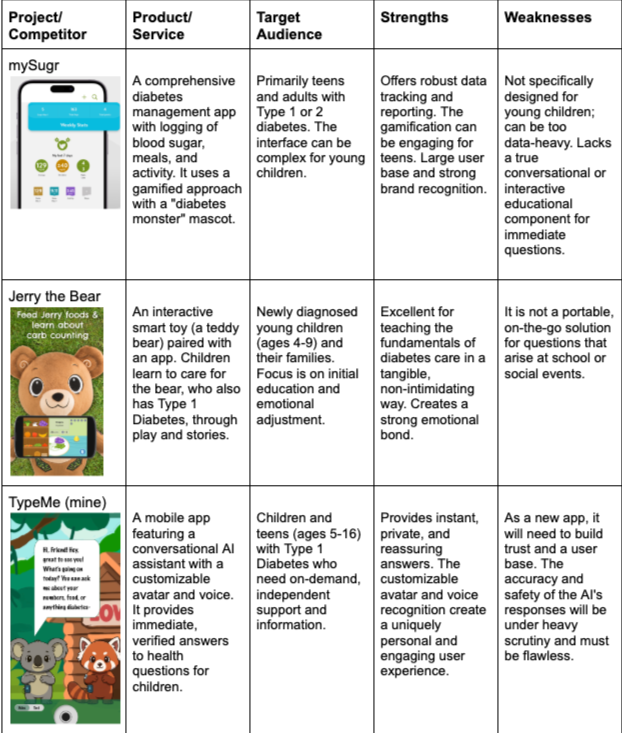
Market Research
TypeMe would need to stand out with its customizable, game-like interface that also has the ability to provide useful medical information to Type One children instantly. It’s future ability to also connect to the user’s continuous glucose monitor to further personalize the experience for the user would set it apart in the market of healthcare apps for children, specifically for Type One Diabetes.
User Research
Persona
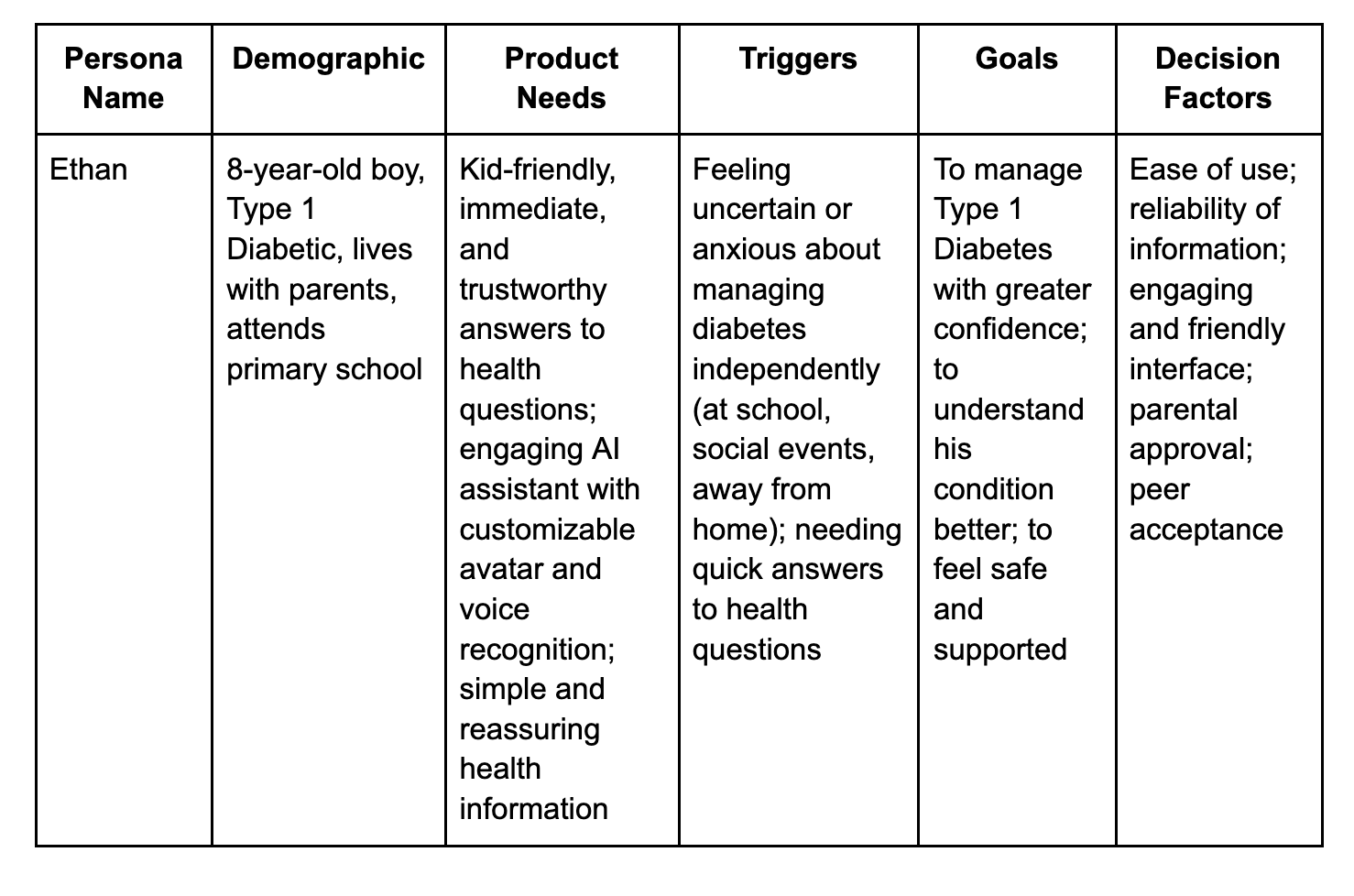
Ethan
Quote
"I wish I had a friend who could tell me what to do when my sugar feels weird, without me having to ask my mom all the time."
Opinions
"It's hard to remember everything about my diabetes, especially when I'm playing with my friends."
"Sometimes I feel a bit scared or worried when I'm not with my parents and I have a question about my sugar."
"I want to learn more about my body and my diabetes, but grown-up books are boring."
Interesting Facts:
Loves playing soccer and video games.
Is often curious but sometimes shy to ask adults "silly" questions.
Values independence and wants to feel capable of managing his own health.
Responds well to visual and interactive learning methods.
Enjoys personalizing his digital experiences (ex: game characters).
Demographics:
Age: 8 years old
Job Role: Primary school student
Location: Suburban home, attends local school
Income: Dependent on parents (middle-income household)
Needs:
A readily available, kid-friendly resource for immediate and trustworthy answers to health questions related to Type 1 Diabetes.
An engaging and non-intimidating way to learn about his condition.
Reassurance and support when managing his diabetes independently.
Decision Factors:
Parental Approval: His parents must trust the app's information and safety features.
Engagement: The app needs to be fun and interactive enough to hold his attention.
Simplicity: Information must be easy for an 8-year-old to understand.
Personalization: The ability to customize his AI assistant (avatar, voice) is appealing.
Barriers:
Parental Concern: Parents might be hesitant about an AI providing health advice without direct supervision.
Information Overload: Too much complex medical jargon could overwhelm him.
Screen Time Limits: Parents might restrict app usage.
Buying Stage Awareness:
● Ethan feels anxious or uncertain about managing his diabetes when away from home.
● His parents observe his struggles or hear his questions about his condition.
● They might search for "diabetes apps for kids" or "support for type 1 diabetes children."
● Ethan might hear about similar apps from friends or see ads for kid-friendly educational tools.
● A doctor or diabetes educator might mention resources for children. Consideration:
● Parents research TypeMe, looking at reviews, medical endorsements, and privacy policies.
● Ethan tries a demo or free version of the app, testing the AI assistant and customization options.
● Parents compare TypeMe's features (ex: verified information, engaging interface) with other available resources.
● They discuss the app's potential benefits for Ethan's confidence and independence.
● They consider the cost and subscription model in relation to its perceived value.
Decision:
● Parents decide to subscribe or purchase the app based on positive reviews, medical backing, and Ethan's positive engagement.
● Ethan expresses excitement about having his "diabetes friend" to help him.
● The family integrates the app into their daily diabetes management routine.
● They might consult with their healthcare provider about using the app as a supplementary tool.
● The decision is often a joint one, balancing parental oversight with Ethan's desire for autonomy.
TypeMe would help Ethan by providing him a friend and immediate knowledge-holder to assist him in any Diabetes-related questions he may have. As a busy kid in sports, school, etc., this gives Ethan a way to be more confident in the handling of his autoimmune disease in all areas of his life.

The UX
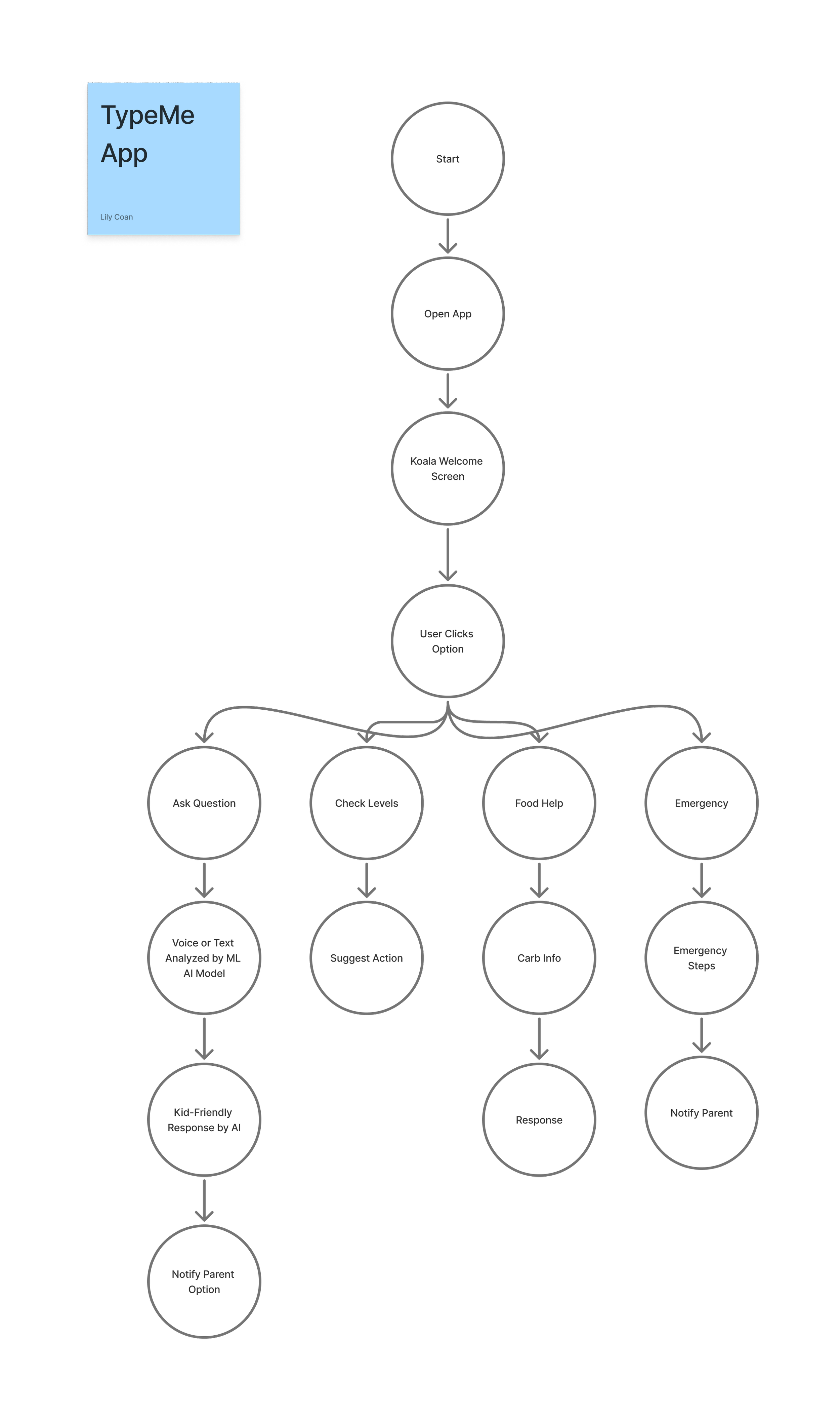
I began by mapping out how I anticipated the user interacted with the app. A simple, intuitive flow is necessary for children ages 6–14 to be able to independently navigate the app.
Design Decisions
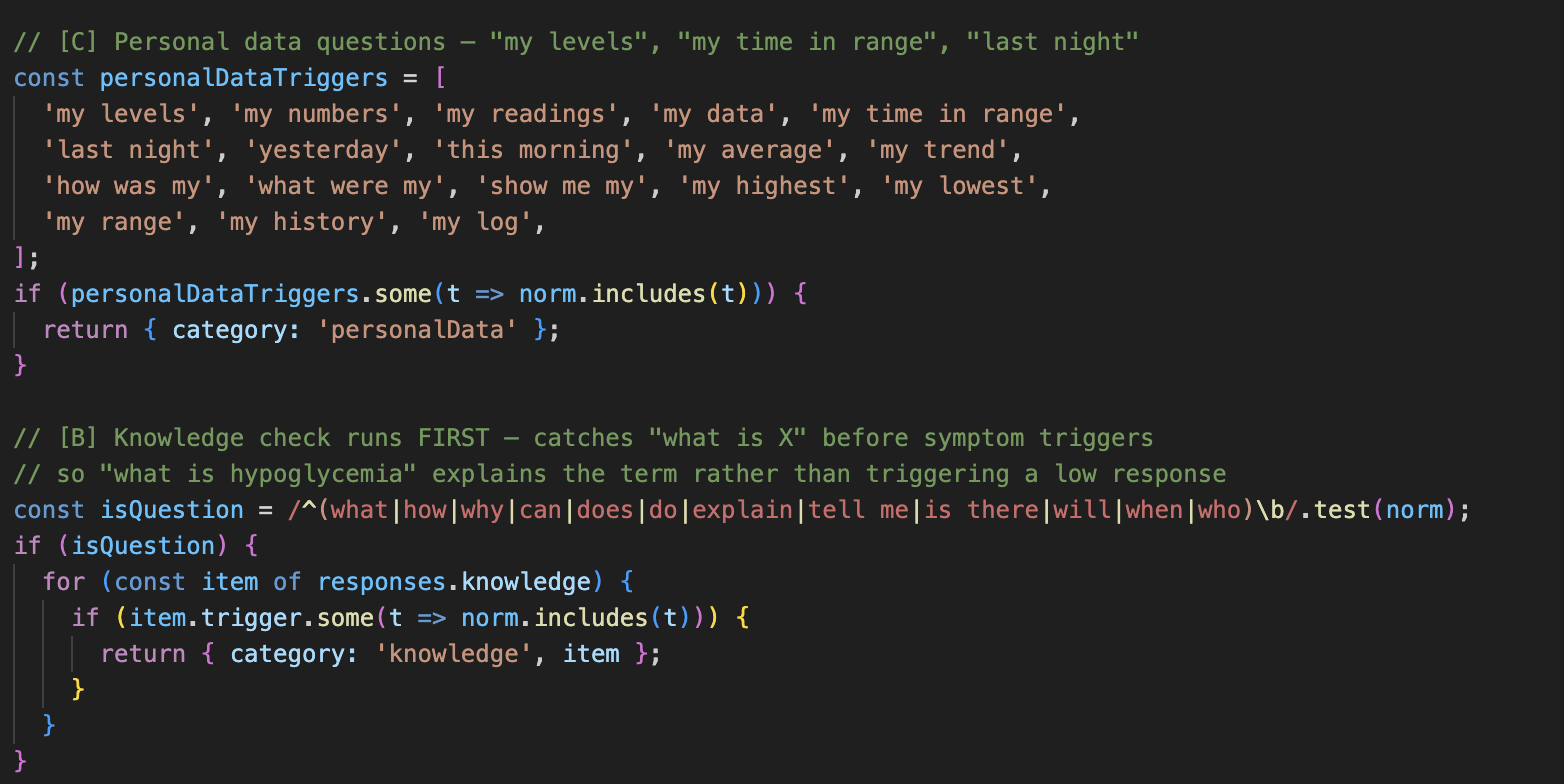
Why this method: For a children's health app, a deterministic rule-based system is the safer choice. It guarantees predictable, vetted responses and can't hallucinate dangerous medical advice. An LLM would introduce unpredictability in a safety-critical context.
Rule-Based AI

Why this method: MediaPipe runs entirely in the browser (WASM + GPU), no video ever leaves the device. This is critical for a children's app. It mirrors the child's face expressions onto their avatar, creating engagement and a sense of personalization without any backend or data storage.
MediaPipe FaceLandmarker
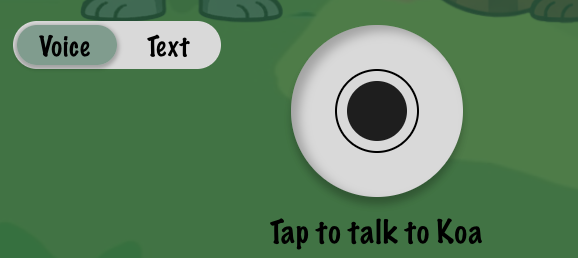
Why this method: Web Speech API is zero-dependency, free, and works on-device. For a child audience, voice is a more natural and accessible input than typing. No server needed.
Web Speech API

For a children’s health app, using verified external medical APIs ensures that all health information is grounded in trusted, up-to-date sources rather than model-generated content.
U.S. Department of Health and Human Services MyHealthFinder provides consumer-friendly, standardized health guidance written for the general public, reducing interpretation errors
National Library of Medicine (NCBI E-Utilities / PubMed) ensures access to peer-reviewed medical literature and clinically validated research
External Credible APIs
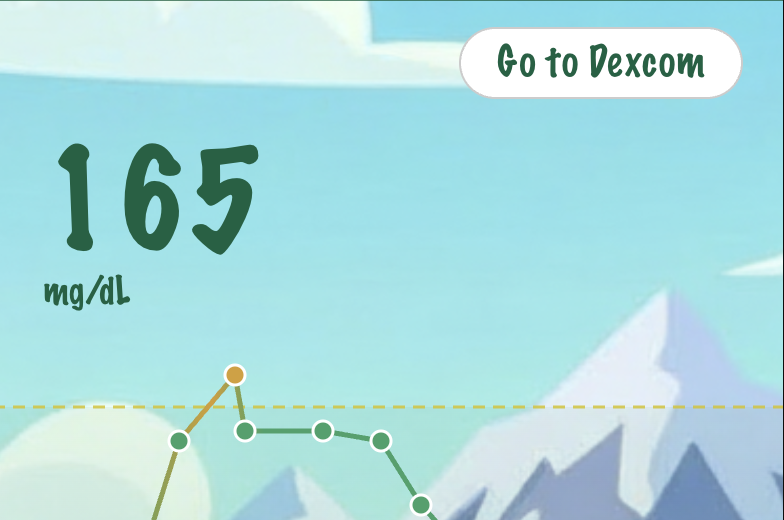
Integration with continuous glucose monitoring systems like Dexcom G6 enables real-time, accurate health data to be displayed in a way that is visually intuitive and emotionally safe for children. Instead of presenting raw medical graphs, the system translates glucose trends into: simple, color-coded visual patterns, friendly animated feedback states, conversational explanations children can ask questions about.
Dexcom-Compatability
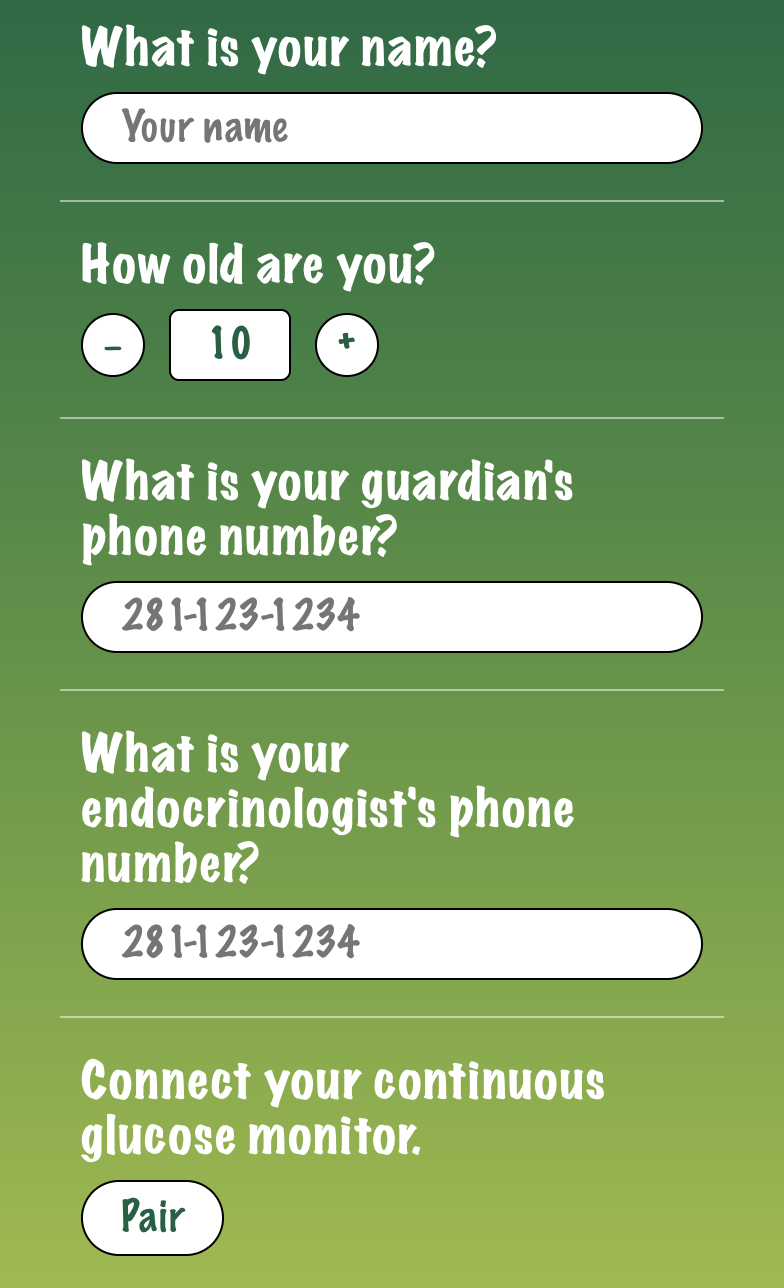
The onboarding system is designed as both a personalization engine and a safety framework, ensuring the AI assistant operates within medically appropriate boundaries for each user. During setup, users can input: child’s name and age, parent/guardian contact information and doctor or care team contact details. Rather than being a simple setup flow, onboarding functions as a guardrail layer for safety-critical AI behavior, ensuring that all future interactions are context-aware, supervised, and appropriately personalized.
Onboarding
The Process
The super fun part… The design!
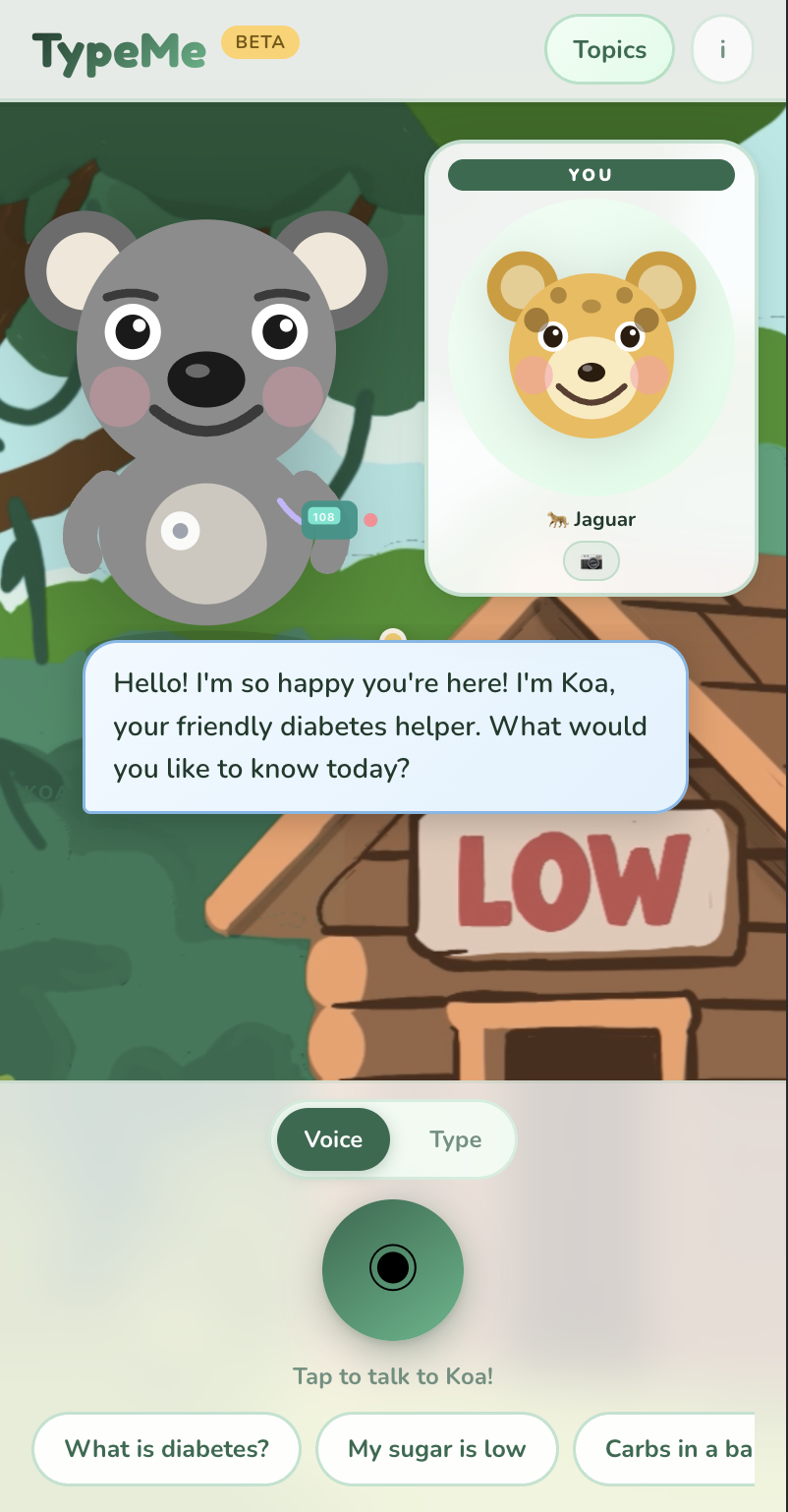
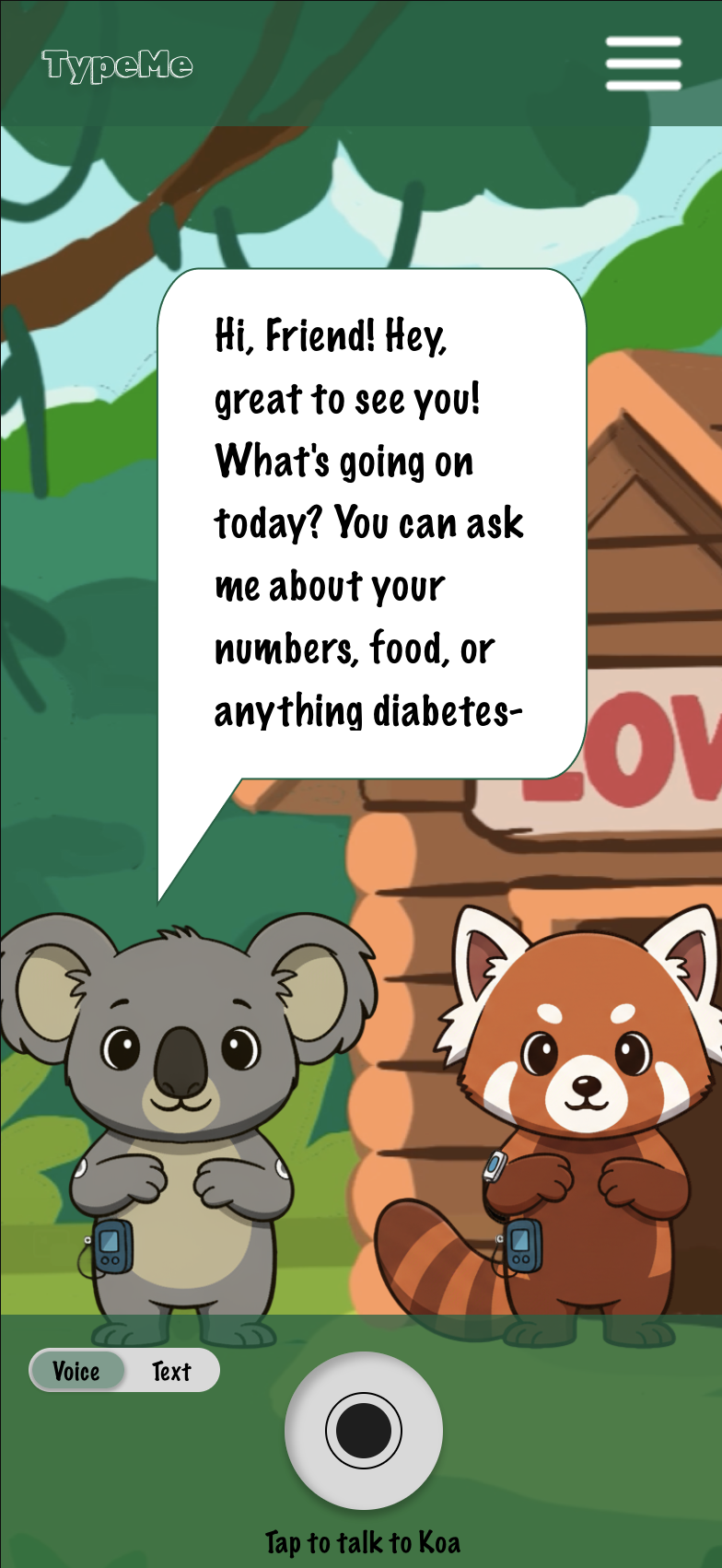
This was the original prototype… After using testing, the feedback I received stated on making it a more intuitive, clean, simple design, highlighting the art.
The Art


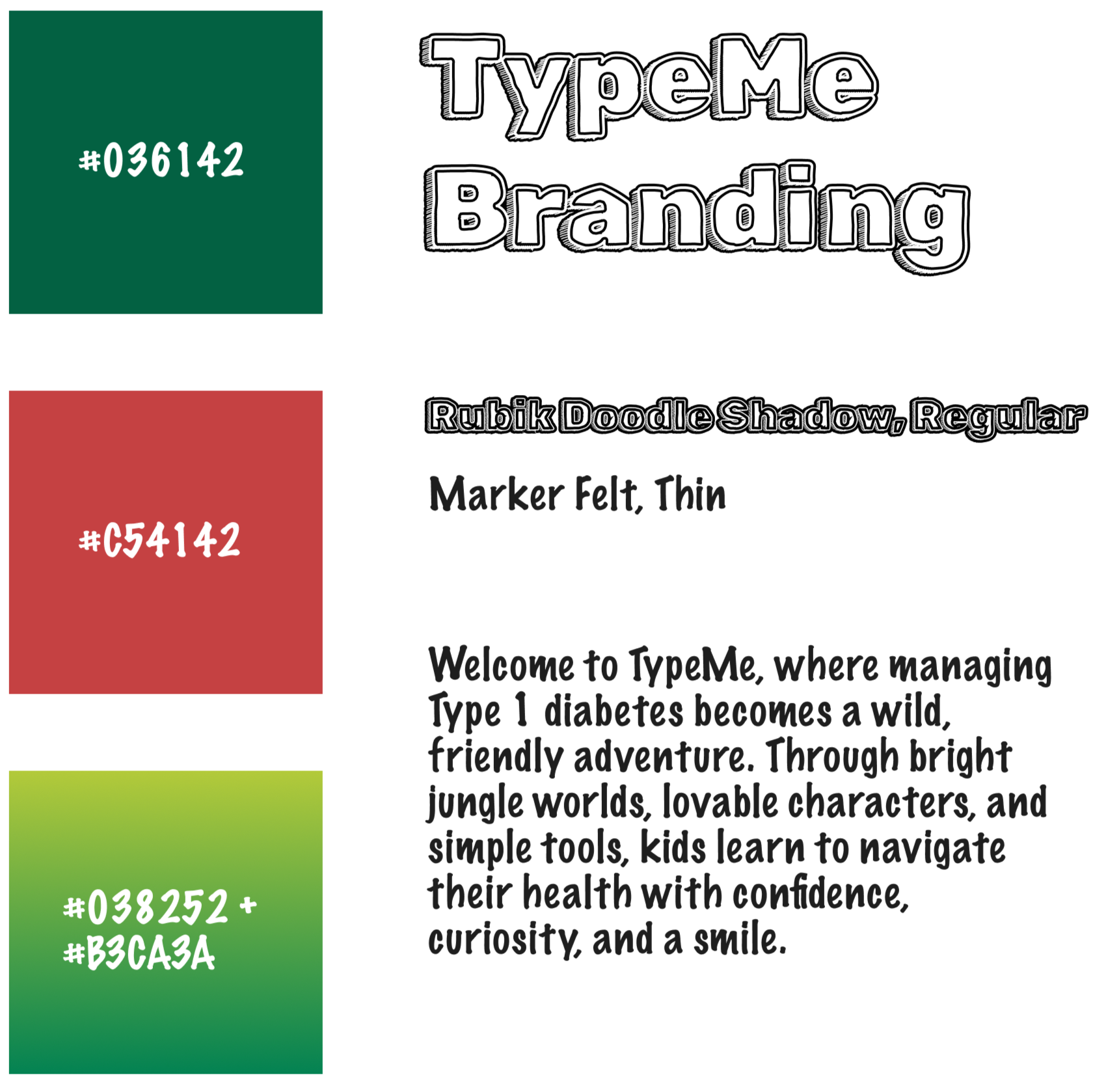
I drew and animated Koa and the jungle environment he lives in. Jungles are full of color, curiosity, and community, which is exactly what I wanted to bring to TypeMe.
I started sketching out a koala and an environment that I then layered in Photoshop and animated in After Effects and Animate.
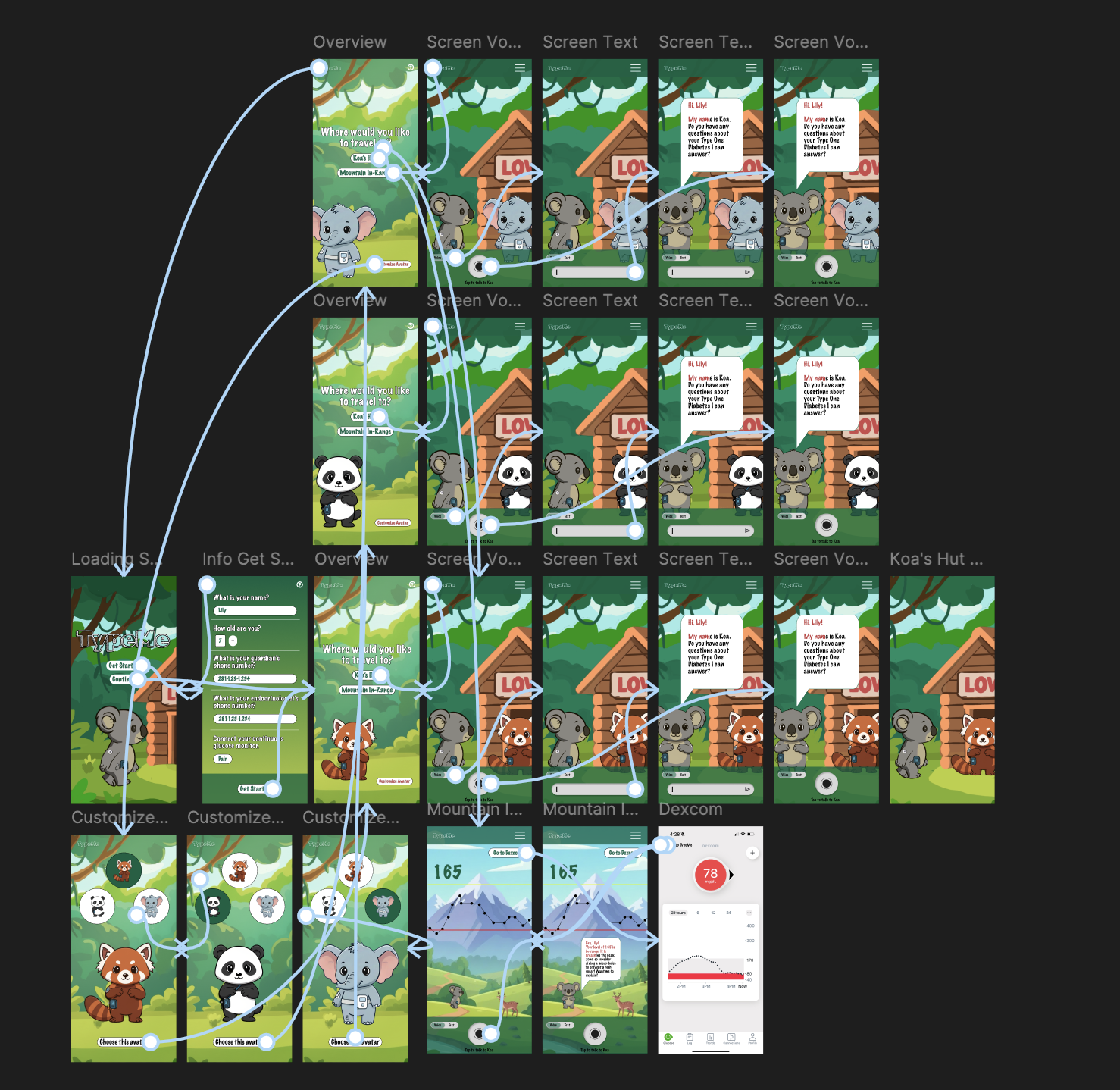
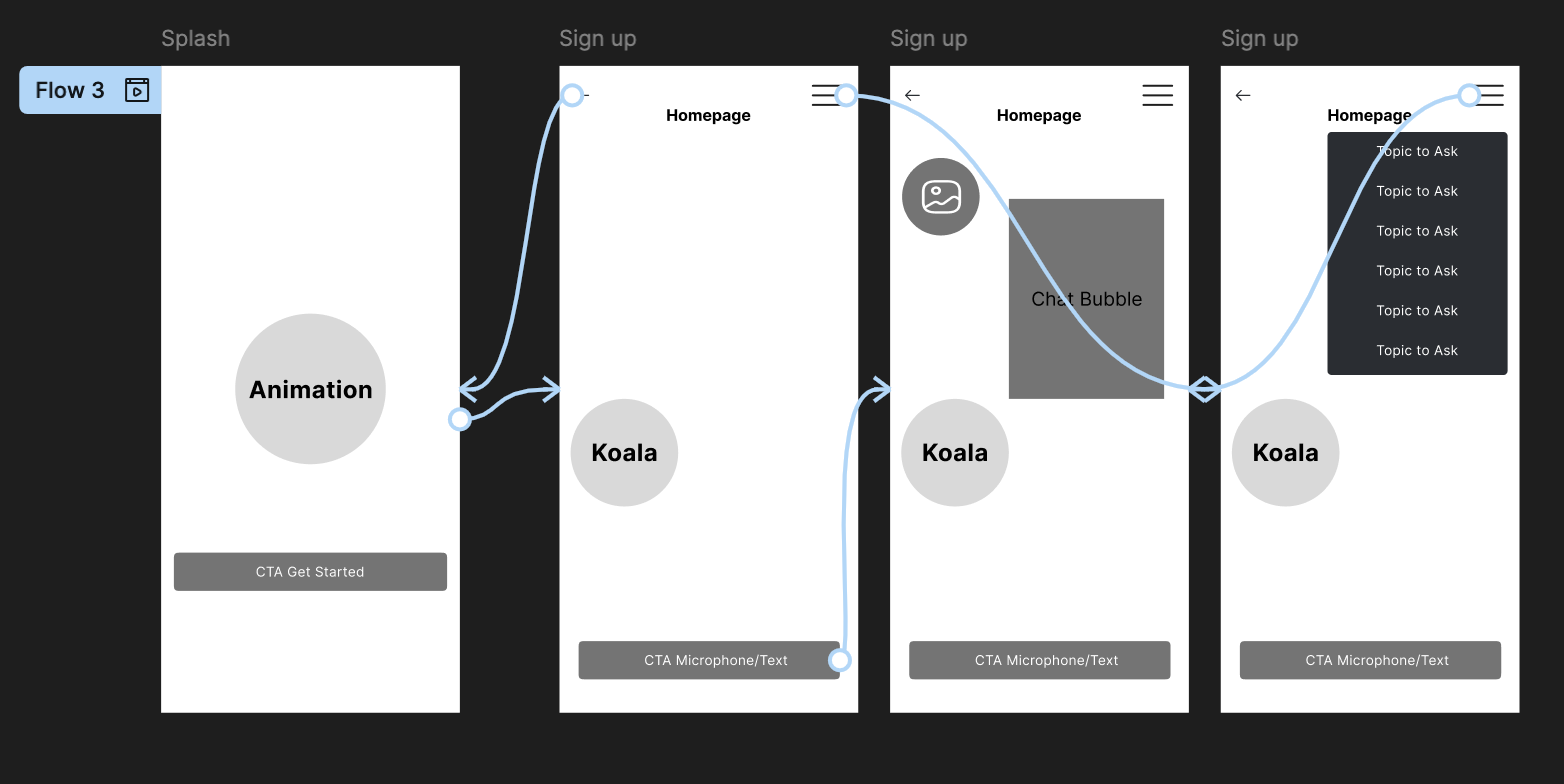
After I got the art style down, I began prototyping the user flow based on my previous UX flow charts.
This was the final prototype I developed in Figma before moving into the development and deployment of the app’s main prototype on Google Cloud Platform.
The Techy Stuff
Here is a snippet of the ResponseEngine.js where specific response logic and instructions live. This is how Koa knows what to say to the user.
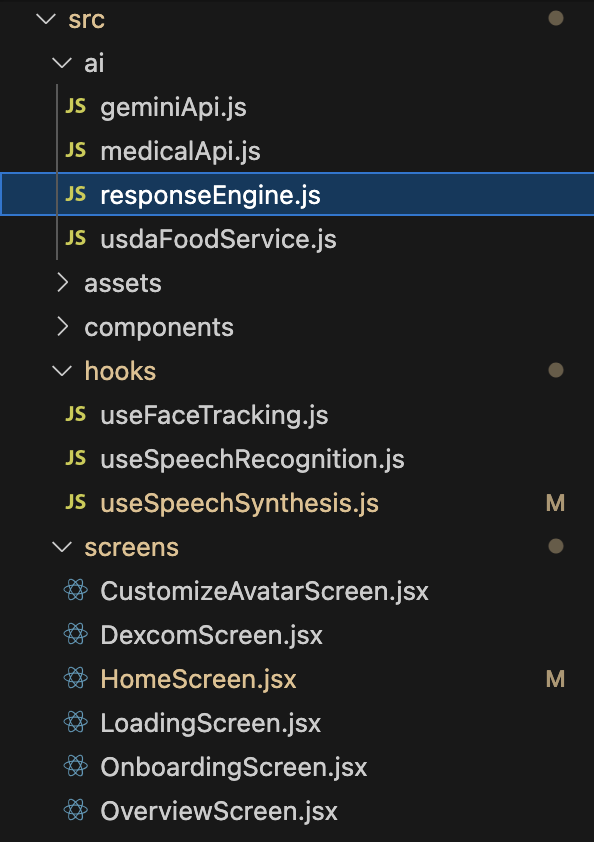
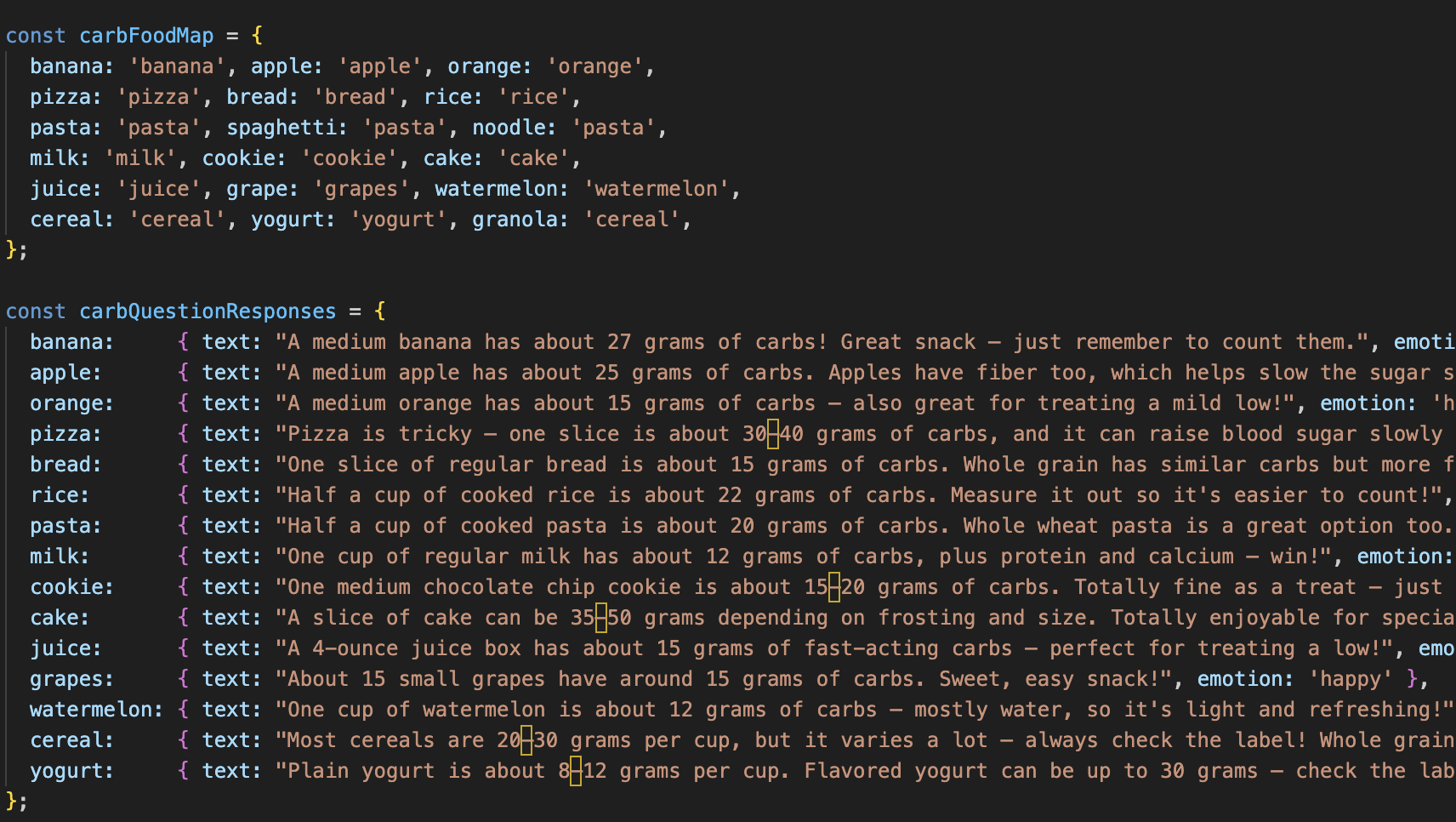
The architecture:
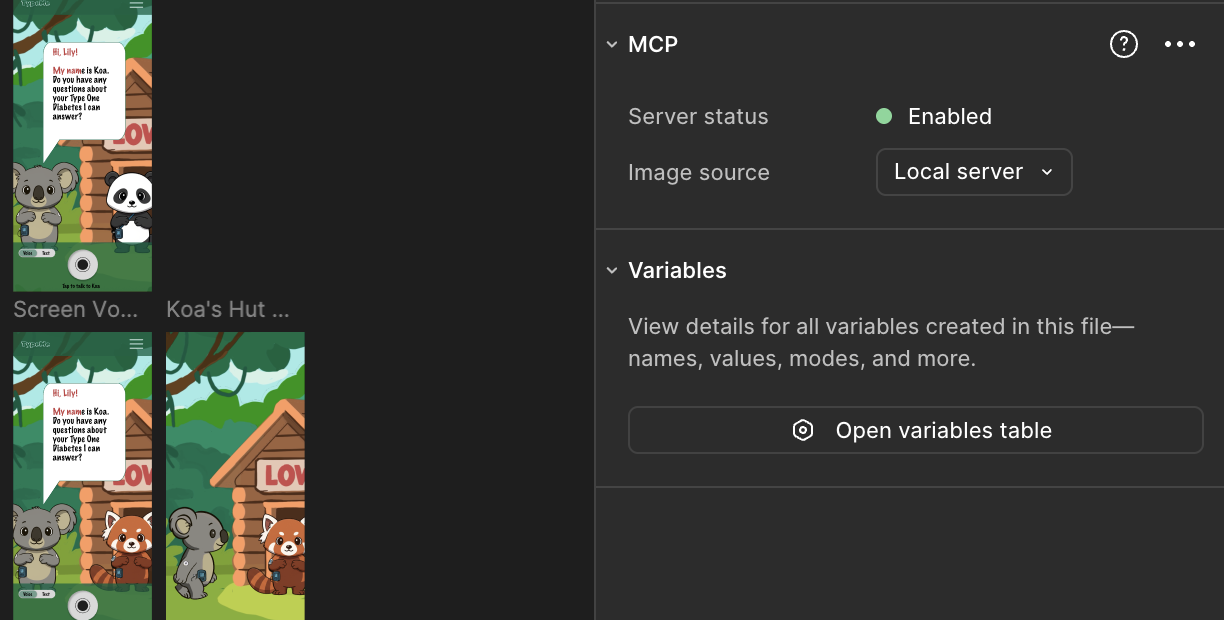
I connected the Figma model context protocol to Claude Code within VSCode to implement my art and designs.
Usability Testing Quotes
"The UI would better with a more clean, simple look so it's easier to navigate. I also think an option to choose different characters or animals would be nice."
— User 1"I like the FaceTime layout you have, it makes it intuitive, especially for kids if that's your audience. The only thing would be to make the voice less robotic and more natural, kid-friendly sounding."
— User 2"I think a place for people to be able to type out questions would be useful in case a kid did not want to speak in public. I also think that your idea of connecting the Dexcom would be nice for doctors to also keep track of the kid's bloodsugars in comparison to using and not using the app."
— User 3Next Steps, Final Goal
Work with developers to deploy a full-functioning app to be placed on the App Store.
Help Type One kids and parents feel at ease.